Three printing tips to make your life easier

Tip #1
Use Web Print for quick and easy printing.
Web Print is the simplest way to get high-quality prints without extra steps. Just upload your document online and print in full A4 colour—it is an ideal option for presentations, essays, reports and everyday documents.
To get started with web print, click here.
Tip #2
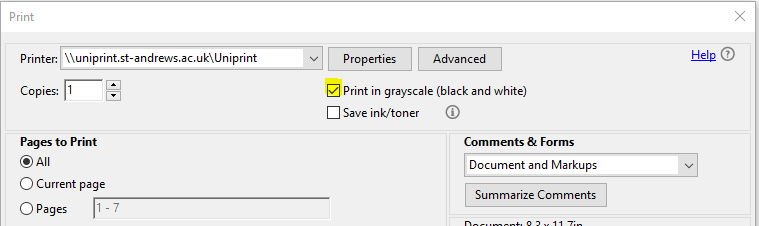
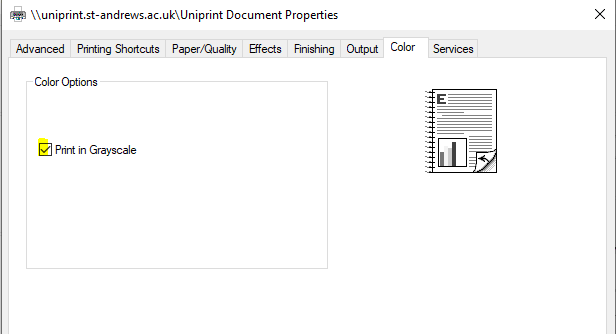
When you’re in Adobe DC Reader, you need to tick two boxes to print in colour.
The first is on the main print pop-up.
For the second box:
- Select Print so the pop-up window appears.
- Select Properties.
- Go to the Colour tab.
Tip #3
Always remember your staff or student ID card when you go to the printer
Since it’s a pull-print system, you can tap your ID card and release your document. This is much faster than manually typing in your username on the touchscreen.
Happy printing!