Duo’s phone call authentication is retiring soon

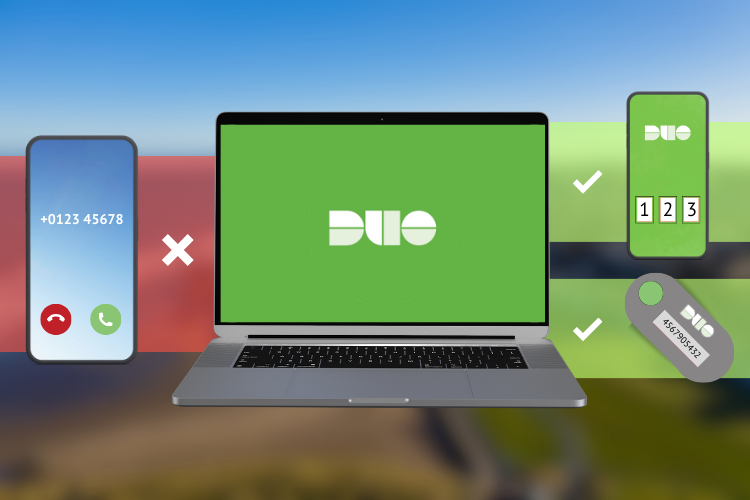
We are retiring phone call authentication in Duo Security, our multifactor authentication platform for staff. Following this change, you will no longer be able to approve sign‑ins using a phone call to your number.
Why we’re making this change
Phone call authentication is becoming less secure. It is vulnerable to:
- Multi-factor authentication fatigue attacks. These are repeated prompts designed to trigger accidental approval. Find more information about this type of attack in our earlier blog post.
- Call interception and redirection. Cyber criminals can exploit weaknesses in phone networks or use social engineering techniques to intercept or redirect calls, making voice‑based authentication less reliable.
Using the Duo Mobile app or a hardware token provides stronger protection for your University account.
What you need to do
1. Enrol the Duo Mobile app
If you do not already use the Duo Mobile app:
- Go to the Duo portal: https://www.st-andrews.ac.uk/duo-signin/home.htm
- Sign in with your University username and password.
- Authenticate using your current multi‑factor authentication method.
- Select ‘Add a device’.
- Choose Duo Mobile and follow the steps on screen.
Setup usually takes only a few minutes.
2. Check your authentication methods and set a default
You can view and manage all your Duo devices at the same portal:
- Go to https://www.st-andrews.ac.uk/duo-signin/home.htm
- Sign in with your University username and password.
- Authenticate using your current multi‑factor authentication method.
- Review your enrolled devices and remove any that are old or no longer used.
Removing devices you no longer use helps keep your University account secure.
If you don’t have a smartphone
If you do not have access to a smartphone or you have accessibility requirements, contact the IT Service Desk. We will help you choose an alternative method of multi‑factor authentication that meets your needs.